Batch delivery for music producers

Your session in.
Every deliverable out.

Boing turns your DAW session into a full, client-ready delivery — full mixes, instrumentals, acapellas, stems, and alternate versions — named to spec, peak-safe, in minutes. Not hours.

Coming soonSee how it works

Runs on your machine. Your audio never leaves your computer.
Full mix
Instrumental
Acapella
Stems
Underscore
No Drums
Drums and Bass Mix
TV Mix
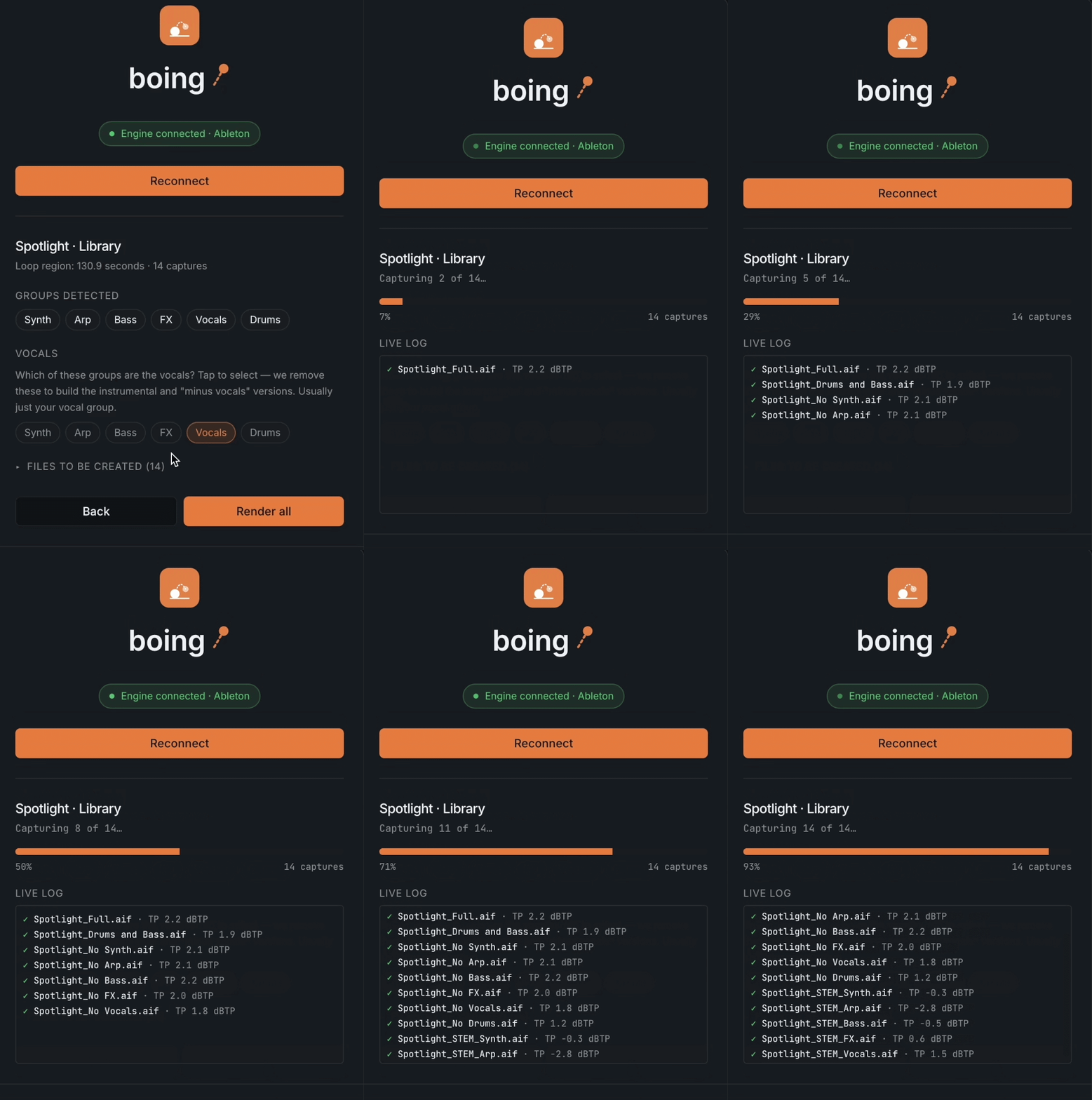
Boing engine preview

Delivery is the boring part.

Every release ends the same way — bouncing the full mix, then the instrumental, then the acapella, then a stack of stems and alt versions, renaming each one, checking levels, building a file list. It's an hour of careful, mind-numbing work for every song. Boing does all of it from one click.

Three clicks to a finished folder.

01

Connect

Open your project and connect Boing to your DAW.

02

Scan

Boing reads your session and shows you exactly what it'll deliver.

03

Render

Boing builds every deliverable, sets safe levels, names each file to your spec, and writes a manifest. Done.

Works in your DAW.

Boing speaks Logic Pro, Ableton Live, Pro Tools, and FL Studio. Connect your project and it's just Scan → Render.

Then in Boing

  1. 1Pick Logic and Connect.
  2. 2Choose your delivery spec, then Scan to confirm your groups.
  3. 3Click Render — Boing exports your tracks and assembles every deliverable.

Everything a delivery needs.

Every version

Full mix, instrumental, acapella, stems, “minus” versions, and custom subsets.

Delivery specs

Define a client's format once — files, sample rate, bit depth, naming, loudness — and reuse it on every song.

Named to spec

Every file comes out named exactly how the client wants it.

Peak-safe

Boing keeps mixes from clipping. Nothing distorts.

Manifest included

A clean CSV listing every file and what's in it.

Private by design

Boing runs locally. Your audio never leaves your machine.

Wet + dry

Post-mix stems keep your processing. Pre-mix tracks strip every effect for the raw source. Dry tracks are Ableton-only for now.

Whole albums

Point Boing at a folder and it renders every project in one run. Assisted or fully automatic.

Sheets included

Lyric sheets, track info, and PRO/IPI splits generated alongside the audio.

Deliver where your music lives.

Boing doesn't stop at a folder. Send finished packages straight to the platforms you already use — audio and metadata together, no manual upload.

SourceAudio

Push renders straight to your catalog.

Box

Deliver full packages to your own Box, ready to share.

Dropbox

Send finished deliveries to any Dropbox folder.

Harvest

Coming soon

Log delivery time as you ship.

More on the way — need one? Tell us.

Available on Enterprise

Use Boing.

Three plans. Start with the render engine, scale to albums, unlock every integration.

Basic

The render engine.

$29.99/mo
  • Download & run the Boing app
  • All built-in delivery specs
  • Full mixes, instrumentals, acapellas, stems
  • Peak-safe, correctly named files
  • Custom Client Specs — build & save your own presets per client
  • Single-song delivery
  • Lyric Draft — free vocal-stem transcriber (all plans)
Coming soon
Recommended

Pro

Everything in Basic, plus bulk album rendering.

$49.99/mo
  • Everything in Basic
  • Album mode — render a whole folder of projects in one run
  • Assisted & Automatic modes
  • PRO / IPI splits
  • Lyrics Sheets
  • Lyric Draft — free vocal-stem transcriber (all plans)
Coming soon

Enterprise

Everything, plus every delivery integration and API access.

$999/month, includes 50 seats
  • Everything in Pro
  • SourceAudio delivery
  • Box delivery
  • Dropbox, Harvest & future integrations
  • API access
  • Additional seats $99.99/month per 10
  • Lyric Draft — free vocal-stem transcriber (all plans)
Coming soon

Cancel or switch anytime from your account.

Questions.

About

Boing is a macOS app that turns your DAW session into a complete, client-ready delivery — full mixes, instrumentals, acapellas, stems, and alternate versions — named to spec and peak-safe, in minutes. It works with Ableton Live, Logic Pro, and FL Studio.
Download Boing from your account, unzip it (double-click in Finder), and drag it to your Applications folder. If macOS shows a "developer cannot be verified" prompt on first open, right-click the app → Open → Open. Boing is notarized by Apple.
Yes. You need an active Boing subscription. Enter your license key when the app first launches to activate it.
Ableton Live, Logic Pro, and FL Studio.

Setup

Boing installs the AbletonOSC control surface automatically. After first launch, open Ableton → Settings → Link, Tempo & MIDI → set a Control Surface to "AbletonOSC," then restart Ableton.
Logic requires a one-time setup:
  1. Create an IAC MIDI bus named "BoingMCU_recv" in Audio MIDI Setup.
  2. Add a Mackie Control surface in Logic pointed at that bus.
  3. Grant Boing Accessibility permission in System Settings → Privacy & Security.
Open Boing in Google Chrome, not Safari — Safari can't connect to the local engine. Make sure the Boing app is running (check your menu bar) and shows "Engine: running."

Using Boing

Connect your DAW, enter a song title, pick a client spec, click Scan session, confirm which group is the vocals, then Render. Files are saved to a delivery folder on your Mac.
Yes. Create a custom spec to define your own file formats, naming patterns, and which deliverables to include (full mix, instrumental, acapella, stems, etc.).
Keep them as separate groups in your session — e.g. "Lead Vox," "BGV," "Adlibs," "Harmonies," "Gang Vox." Boing exports one stem per group and recognizes all of these as vocals, so your instrumental and acapella still come out correctly. If all your vocals are on one track, Boing can only produce one vocal stem.
Yes. Click Cancel during a render — it stops safely between files and frees the engine so you can start a new one right away.
Yes, in Ableton. Post-mix stems keep all your processing; pre-mix tracks strip every effect and send for the raw source, both from the same session. Dry rendering is Ableton-only right now — Logic and FL Studio support is coming.
Yes. Album mode renders a folder of projects in one run — you confirm each, or let Boing open them automatically.
Yes. Track Info sheets, lyric sheets, and PRO/IPI split data are generated with your audio, so the whole package ships together.

Integrations

SourceAudio and Box today, with Dropbox and Harvest coming. Boing delivers your finished package straight there — audio and metadata — so there's no separate upload step. (Enterprise.)

Account & Billing

Pricing is currently unavailable while we prepare the public launch. Join the waitlist to be first in line.
Subscriptions are currently paused. You'll be able to manage billing once we open sales.
Settings → License key. Copy it and paste it into the Boing app.
The engine key links your Mac's Boing app to your account so your finished renders show up in your history and (soon) on the Boing phone app. Copy it from Settings → Connect your engine and paste it into the Boing app.

Privacy & Security

No. All rendering happens locally on your machine. Your audio never leaves your computer.
Only your account email, subscription status, and render metadata (song title, file count) so your history works. See our Privacy Policy for details.

Troubleshooting

Make sure your DAW is open with a session loaded and a region selected. For Ableton, confirm AbletonOSC is enabled. If you recently updated macOS, re-check that Boing has Accessibility and Automation permissions in System Settings → Privacy & Security.
Right-click the app → Open → Open. If that fails, delete the old copy from Applications, empty the Trash, and re-download.